20 Sims 4 Werewolf CC Finds | Eyes, Fangs, Tails & More
Looking for more Sims 4 werewolf CC? 🐺 This roundup includes 20 custom-content finds for creating werewolves, wolf-inspired Sims, occult characters, supernatural screenshots, and darker CAS looks.
The collection includes werewolf eyes, fangs, tails, wolf feet, hair, accessories, clothing, earrings, poses, décor, and several add-ons made specifically around the Werewolves theme.
Some downloads are designed specifically around werewolves while others can also be useful for human Sims, fantasy characters, Halloween looks, and supernatural storytelling. Each item below links back to its creator’s original download page.
🐺 Quartz Eyes V2 Edited – Werewolf Addon
The Quartz Eyes V2 Edited – Werewolf Addon by chippedcupanddustybooks is an eye add-on created for werewolf Sims. Since this release is specifically labeled as an addon to Quartz Eyes V2, keep that distinction in mind when organizing your eye CC.
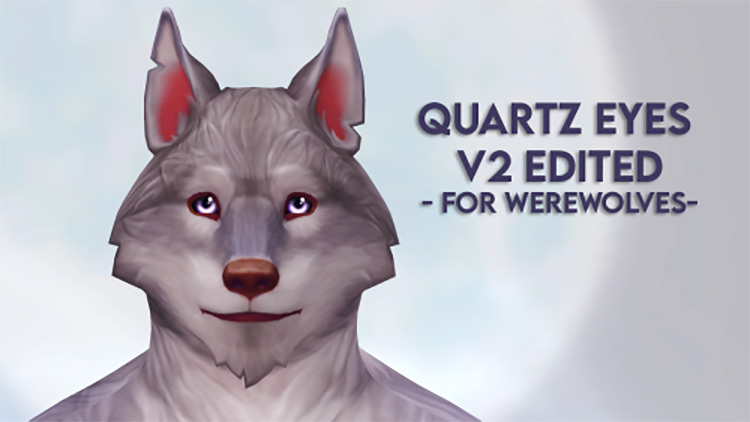
🐺 View Quartz Eyes V2 Werewolf Addon
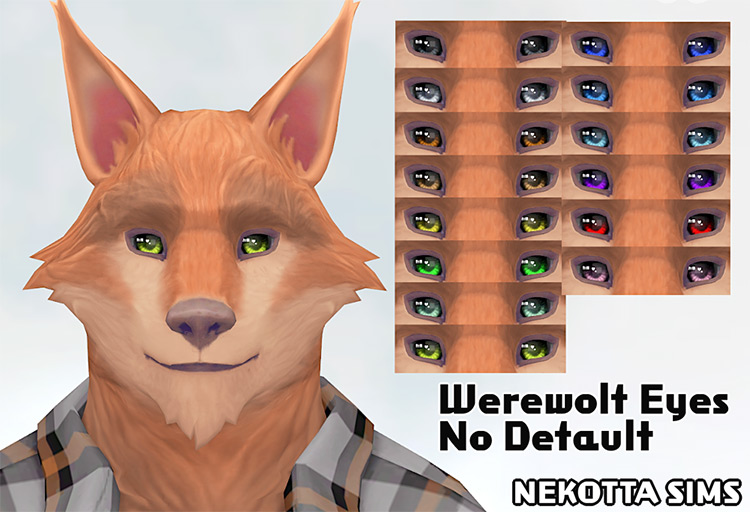
👁️ Werewolf Eyes by Nekotta Sims
Werewolf Eyes by Nekotta Sims are another eye option for customizing your occult Sims. These can give you another visual choice when you do not want every werewolf in your save using the same eye appearance.
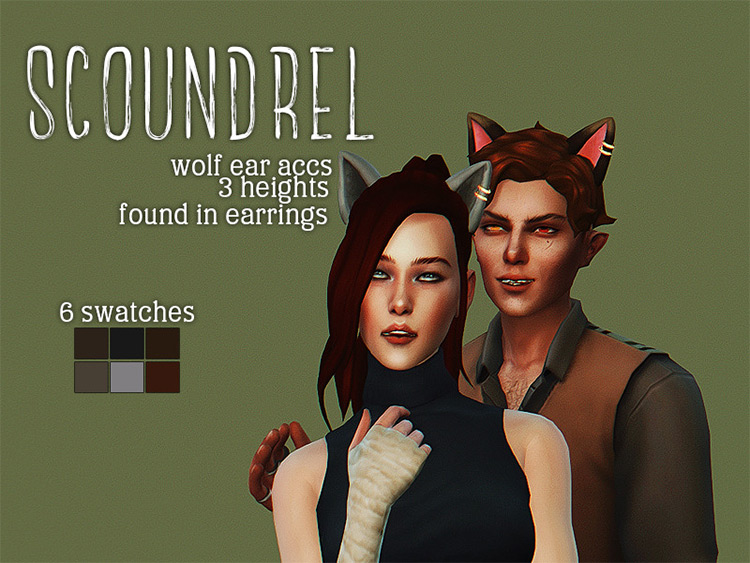
🐾 Scoundrel by drosims
Scoundrel by drosims is a wolf-or-cat-ear accessory download. That makes it useful beyond standard werewolf gameplay if you create fantasy, animal-inspired, or supernatural Sims.
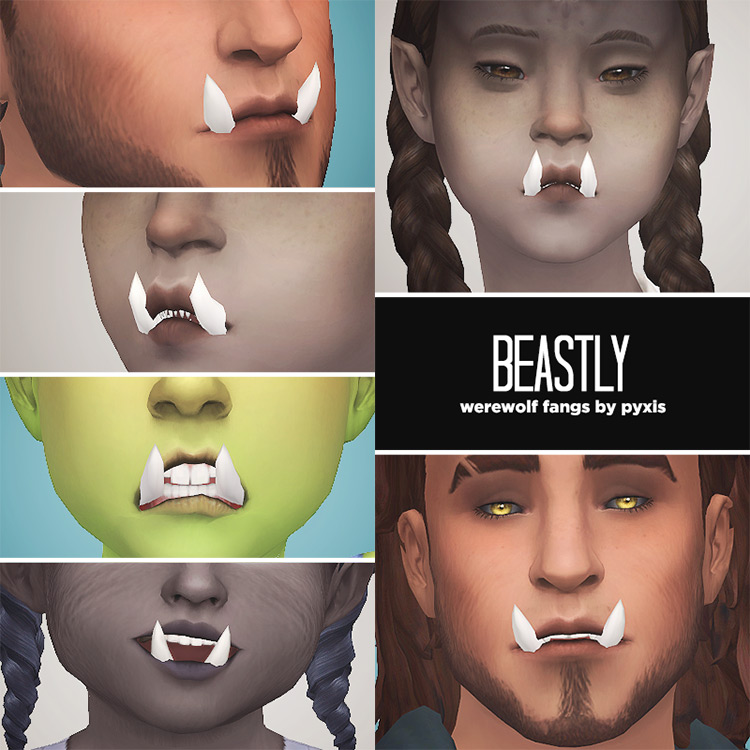
🦷 Beastly: Werewolf Fangs by pyxis
Beastly: Werewolf Fangs by pyxis adds custom fangs for Sims that need a stronger supernatural look. This is one of the more specific CAS additions in the roundup because it focuses directly on the teeth rather than changing an entire outfit or transformation.
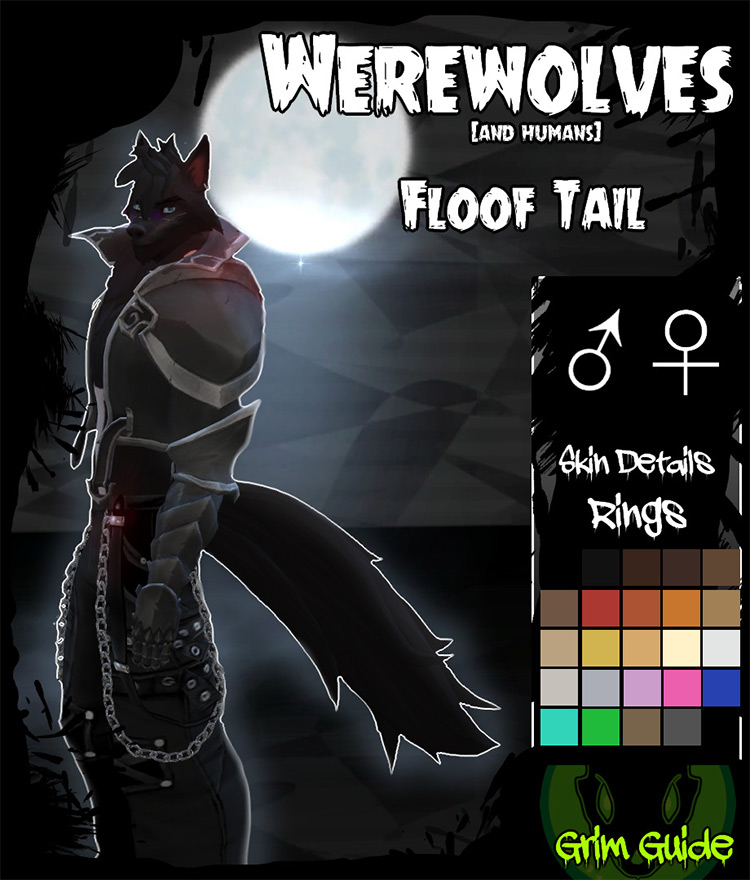
🐺 Werewolves & Humans Floof Tail by grimguide
The Floof Tail by grimguide is notable because the title specifically identifies it for werewolves and humans. That gives you more flexibility if you want wolf-inspired human Sims as well as full werewolves.
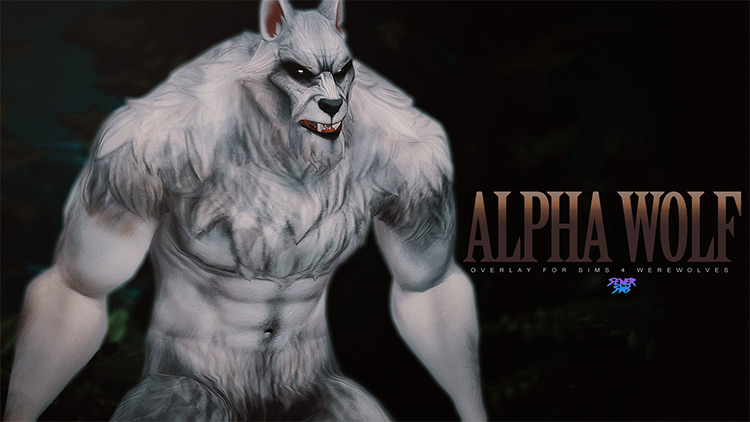
🌑 Alpha Wolf by Sewer Sims
Alpha Wolf by Sewer Sims is another supernatural-themed CC release included in the collection. The supplied title does not give a full item list, so use the creator page below for the exact contents and current requirements.
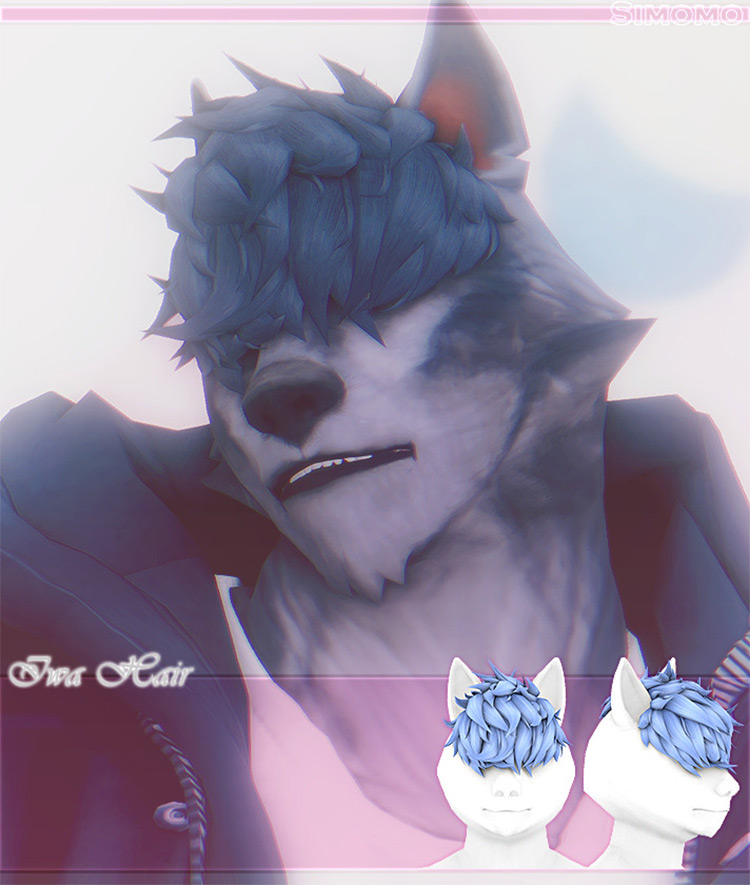
💇 Iwa Hair by simomo-cc
Iwa Hair by simomo-cc adds a hairstyle to the collection, giving you another way to build a complete werewolf or supernatural CAS look instead of focusing only on eyes and animal accessories.
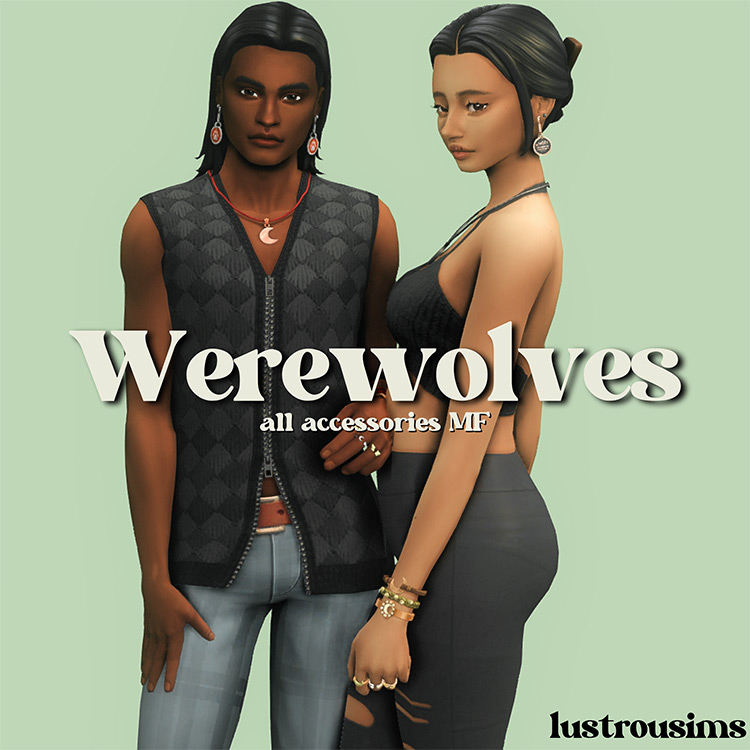
✨ Werewolves Accessories Made Basegame by Lustrousims
Werewolves Accessories Made Basegame by Lustrousims is especially useful because the creator title specifically identifies these as Werewolves accessories made base-game compatible.
This is different from simply linking to an accessory created around a wolf theme, so keep the original release name intact when organizing the files.
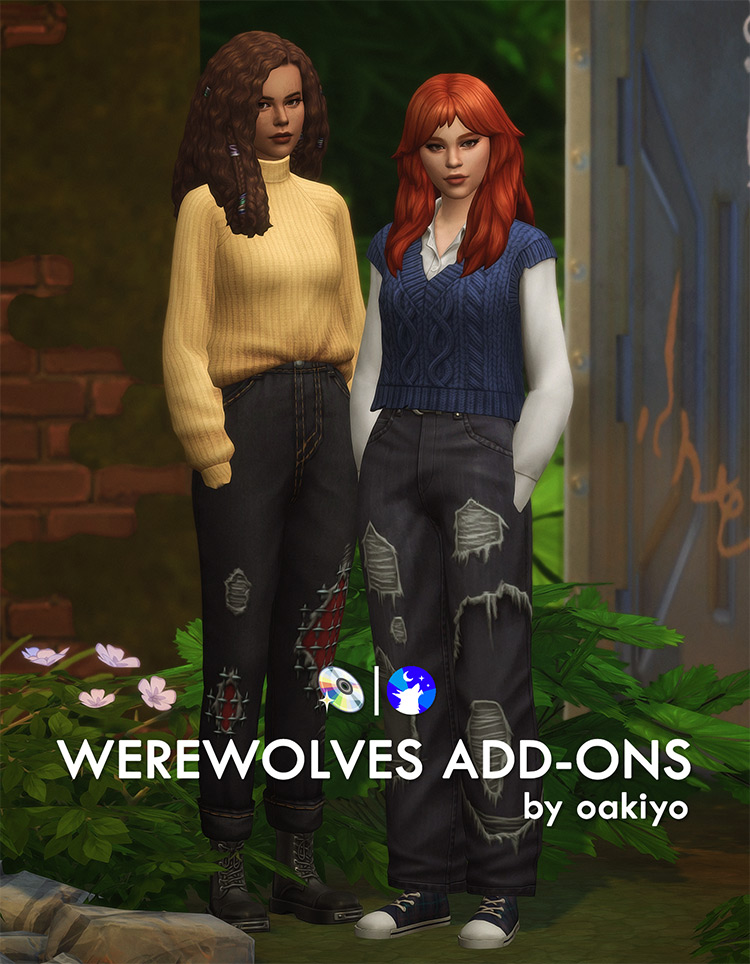
🖤 Werewolves Add-Ons by oakiyo
The Werewolves Add-Ons by oakiyo are another set of extras created around the werewolf theme. Because the release is labeled as add-ons rather than one individual object, keep its files grouped together until you have checked everything included.
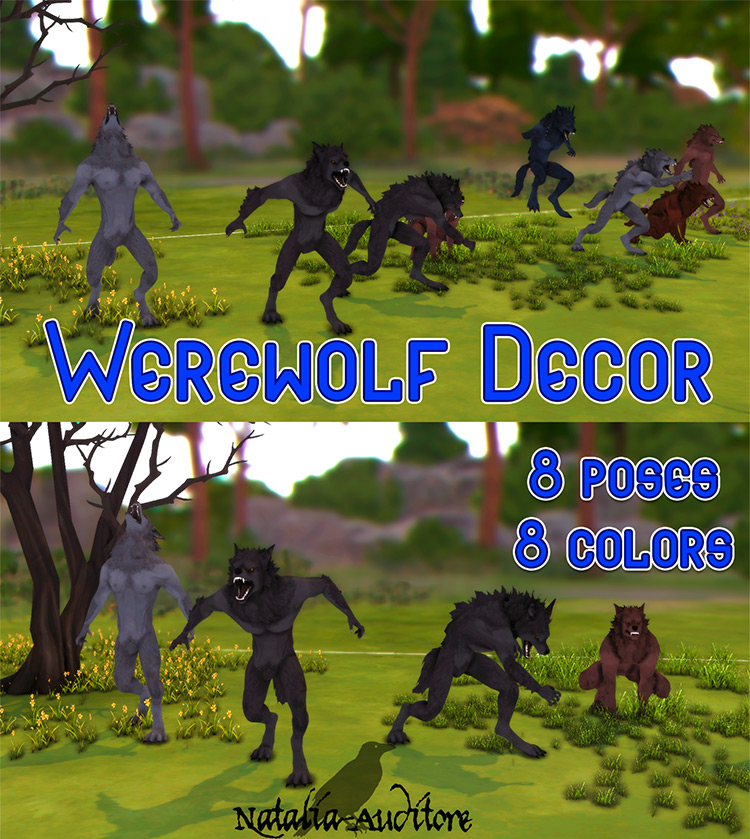
🏠 Werewolf Décor by Natalia-Auditore
Not everything in this list is CAS content. Werewolf Décor by Natalia-Auditore gives builders and storytellers a décor option for supernatural rooms, occult builds, or werewolf-themed spaces.
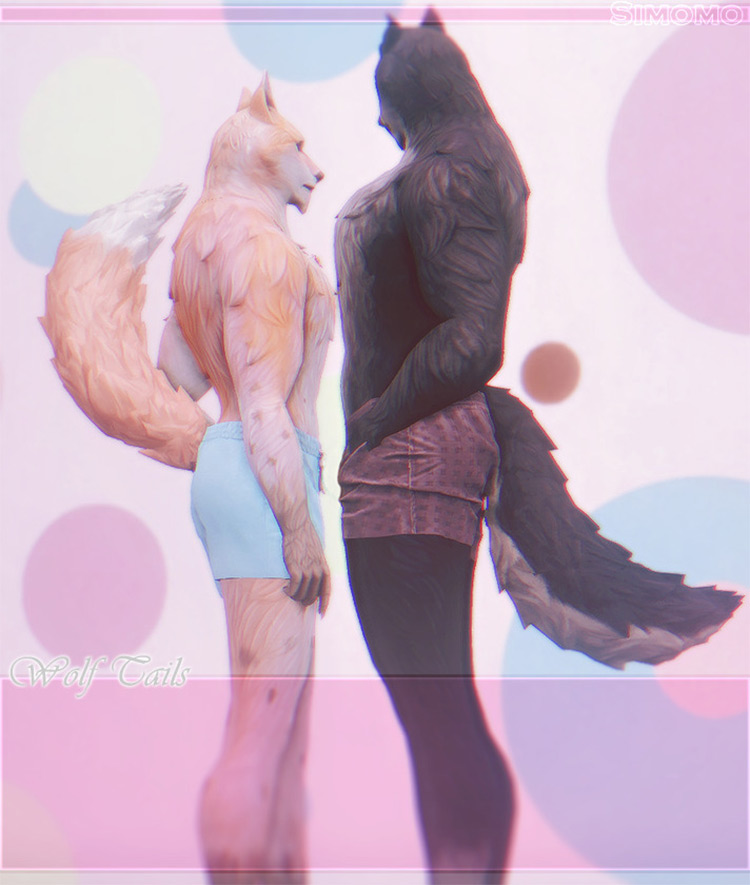
🐾 Wolf Tails & Wolf Feet by simomo-cc
Wolf Tails & Wolf Feet by simomo-cc combines two distinctly wolf-like CAS additions in one release. This is useful if you want to push your werewolf designs further than custom eyes or teeth alone.
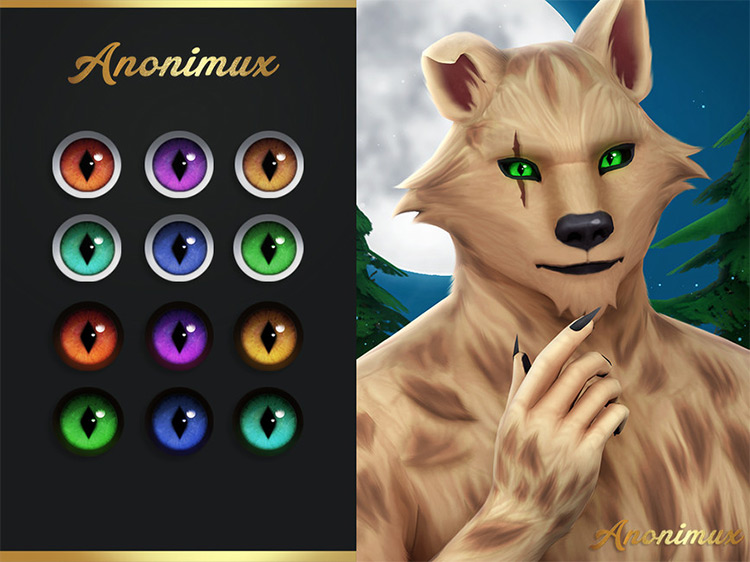
👁️ Werewolf Default Eyes 01 by Anonimux Simmer
Werewolf Default Eyes 01 by Anonimux Simmer is specifically labeled as a default eye option. Default replacements should be organized separately from ordinary non-default eye colors so you can quickly find them if you ever want to switch to another default.
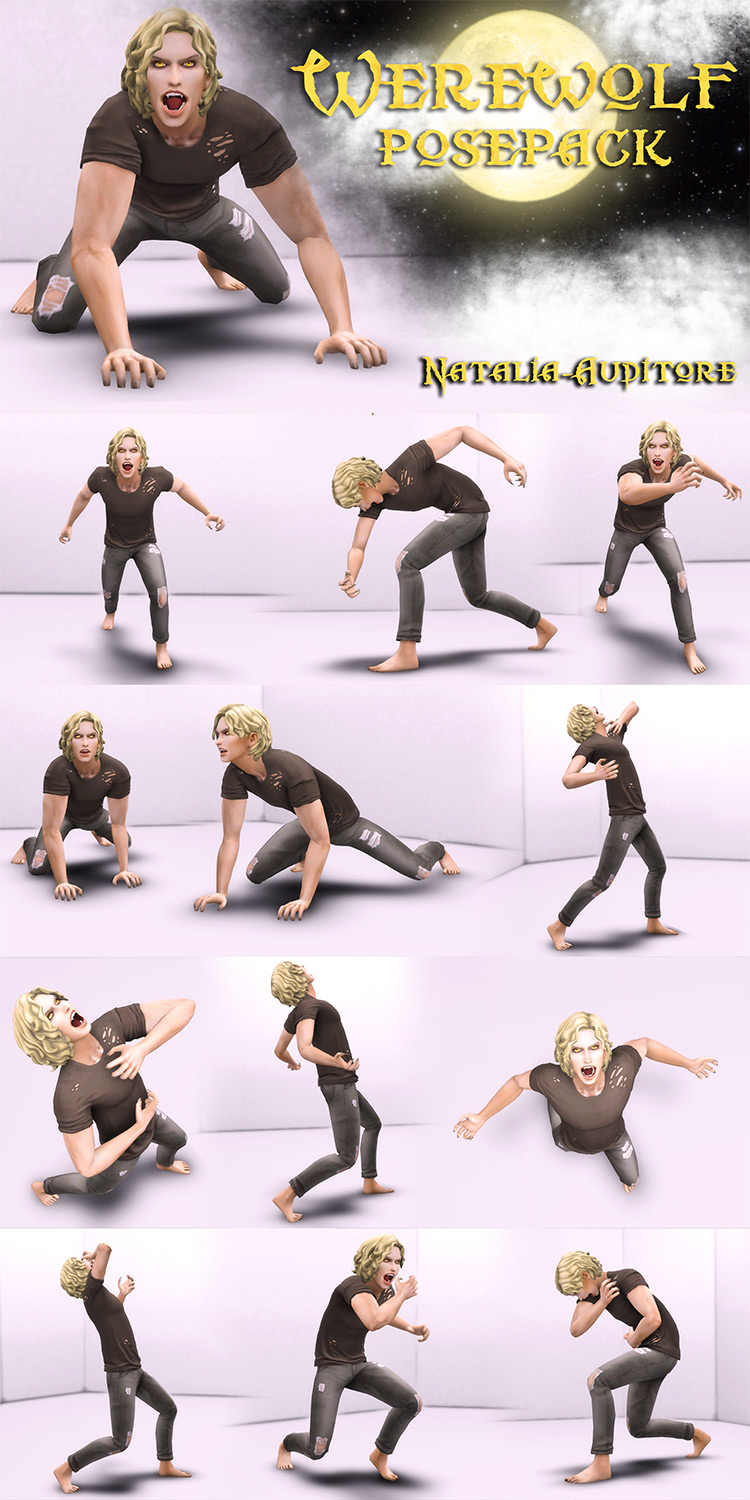
📸 Werewolf Posepack by Natalia-Auditore
The Werewolf Posepack by Natalia-Auditore is made for players who use custom poses for screenshots, stories, character profiles, or supernatural scenes.
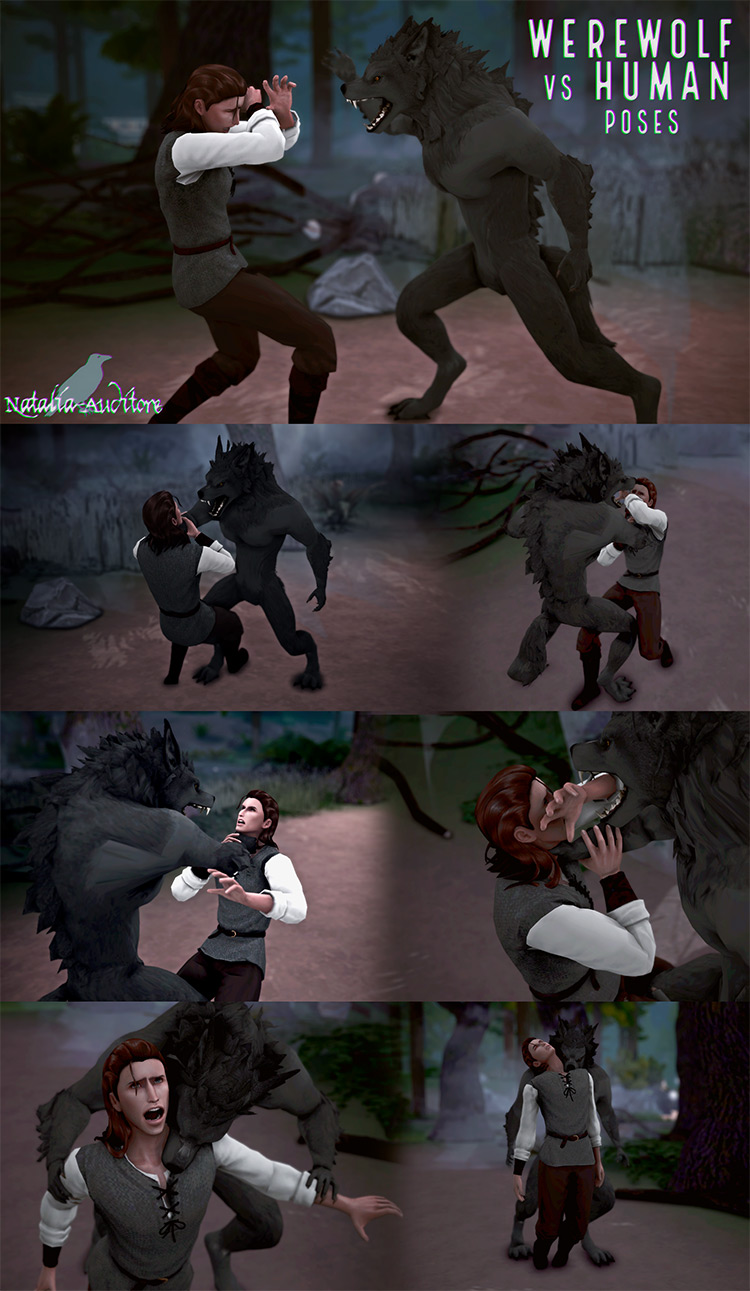
⚔️ Werewolf vs Human Poses by Natalia-Auditore
Werewolf vs Human Poses are another pose download from Natalia-Auditore, but this set is specifically built around interactions between a werewolf and a human rather than a solo werewolf pose collection.
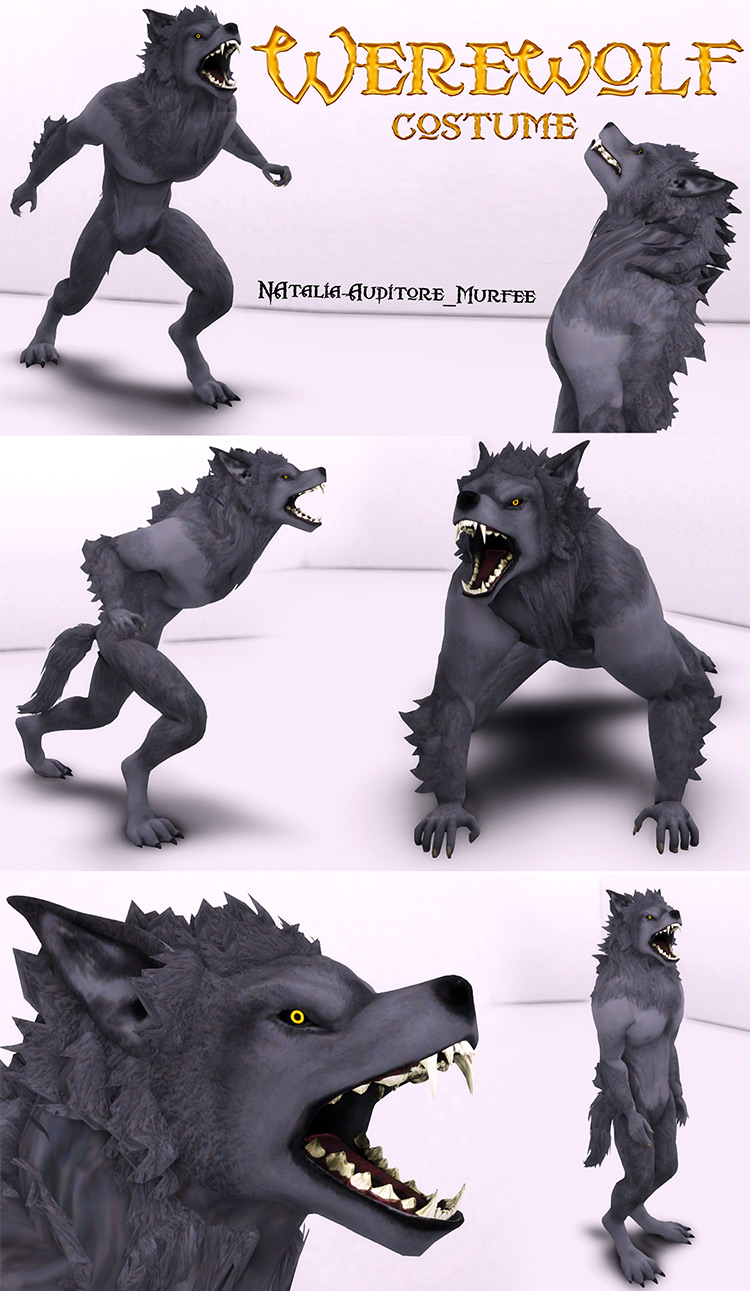
🐺 Werewolf Costume by Natalia-Auditore
The Werewolf Costume by Natalia-Auditore is another dedicated werewolf-themed CAS download. Unlike the pose packs above, this one is focused on changing the Sim’s appearance.
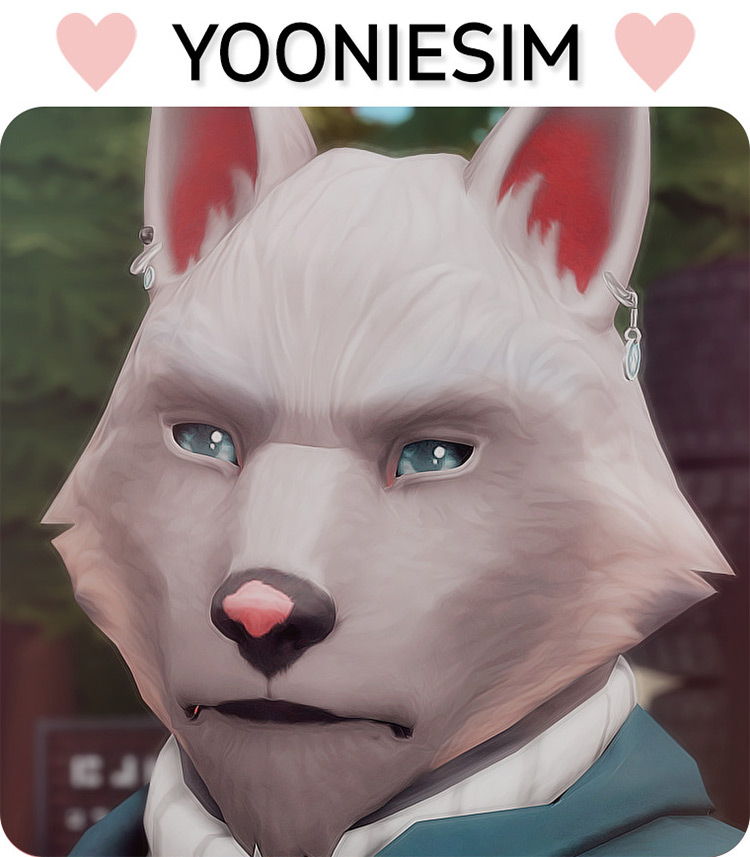
🌙 Silver Bullet Earrings Set by yooniesim
The Silver Bullet Earrings Set by yooniesim adds a smaller themed accessory to the roundup. These earrings fit naturally into werewolf, occult, hunter, Halloween, and supernatural CAS looks.
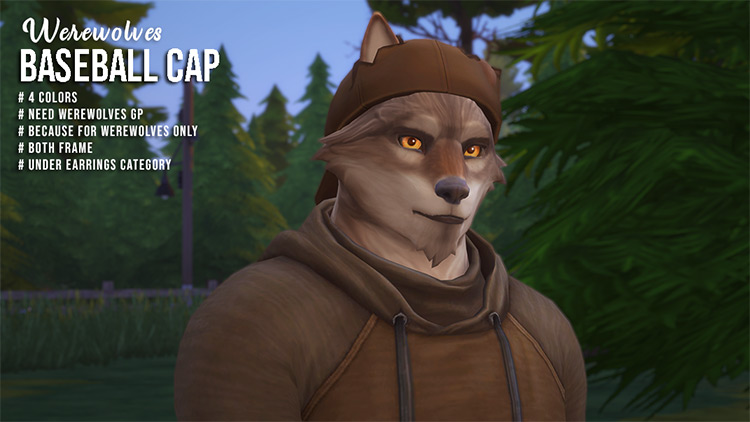
🧢 Werewolves Baseball Cap by megukiru
The Werewolves Baseball Cap by megukiru brings the werewolf theme into a more casual accessory. This is useful if you want wolf-inspired everyday outfits instead of making every Sim look fully transformed.
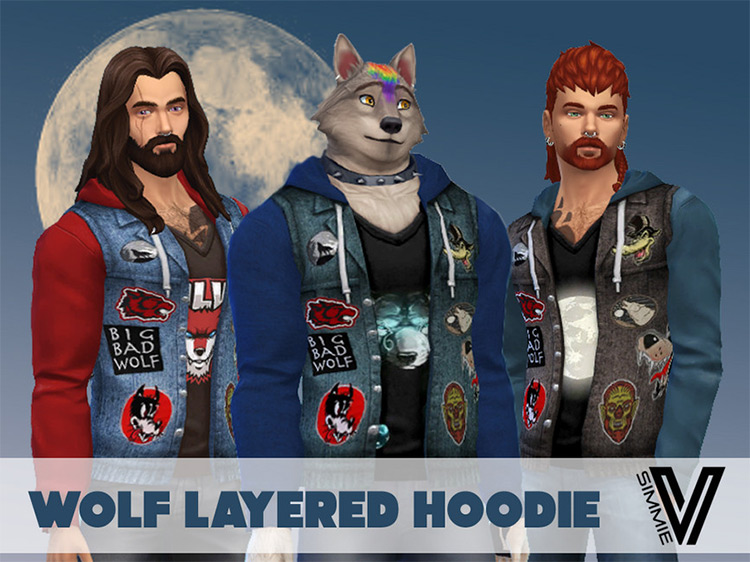
🖤 Wolf Layered Hoodie by SimmieV
The Wolf Layered Hoodie by SimmieV is the casual clothing entry in this collection. It gives you a wolf-themed everyday option for Sims who do not necessarily need tails, fangs, or other supernatural body accessories.
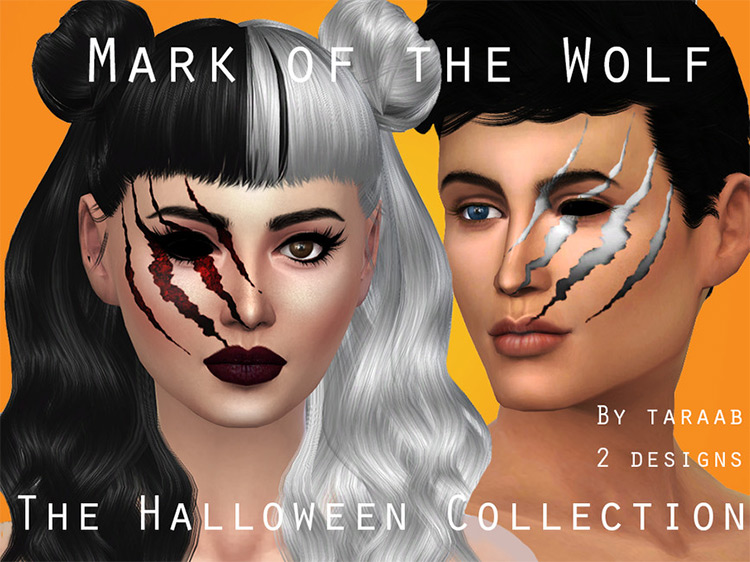
🌕 The Halloween Collection – Mark of the Wolf
Mark of the Wolf by taraab is part of a Halloween-themed collection. The creator listing places this particular download in the makeup/eyeshadow area, giving you another way to add supernatural detailing directly in CAS.
🌙 October Set 2 by ars-botanica
October Set 2 by ars-botanica closes out the roundup with another spooky-season themed collection. Since this one is labeled as a set, check the original creator page for its complete contents rather than treating it as one individual item.

📦 What’s Included in This Werewolf CC Roundup?
This list contains 20 separate Sims 4 werewolf and wolf-themed CC downloads. The collection covers several different parts of the game instead of focusing only on one CAS category.
You can find custom eyes, default eyes, fangs, ears, tails, wolf feet, hair, hats, earrings, clothing, costumes, décor, and pose packs. There are also larger add-on and accessory releases from creators such as oakiyo and Lustrousims.
Because these downloads come from many different creators, requirements can vary. Some are older releases, some are add-ons, and one is specifically labeled as being made base-game compatible.
📁 How to Organize Werewolf CC
For a collection this mixed, I would create a main folder called Werewolf CC and then separate it into smaller folders such as Eyes, Teeth, Tails, Accessories, Hair, Clothing, Poses, and Build Buy.
Keep default replacements such as Werewolf Default Eyes 01 clearly separated from regular eye CC. That makes it much easier to change defaults without accidentally deleting unrelated files.
Also leave creator names in the original filenames whenever possible so you can locate the original download if you ever need an update.
How to Install Sims 4 Werewolf CC
Download the CC from the creator’s original page. If the download arrives as a ZIP or RAR file, extract it first.
Move ordinary .package files into:
Documents → Electronic Arts → The Sims 4 → Mods
Then open The Sims 4 and go to Game Options → Other and make sure Enable Custom Content and Mods is turned on.
⚠️ Important Werewolf CC Reminder
Do not assume every download on this list has identical requirements. Some CC may be standalone, while other items may require a specific mesh, pack, pose player, or additional creator file.
If an item does not appear correctly in CAS or Build/Buy, check its original creator page before removing random files.
This is especially important with older custom content, default replacements, add-ons, and pose packs.
💖 You May Also Like
More Sims 4 Werewolf CC
|
Sims 4 Occult CC
|
Sims 4 Eyes CC
|
Sims 4 Accessories CC
✨ Keep Browsing
Werewolf Finds
|
Sims 4 Poses
|
Halloween CC
|
More GamingWithPrincess